Connect Google Sheets
to Kimola
Skip downloads and uploads—connect Google Sheets directly to Kimola and import your data in seconds for seamless analysis.




















3,000+ growth-obsessed teams from 90+ countries
create 5 reports in every 30 minutes at Kimola.
Import Data Without Hassle
Google Sheets is one of the most widely used tools for organizing and managing data. With Kimola's integration, there's no need to download files and manually upload them. Simply connect your Google account, access your Sheets directly within Kimola, and start analyzing your data instantly.
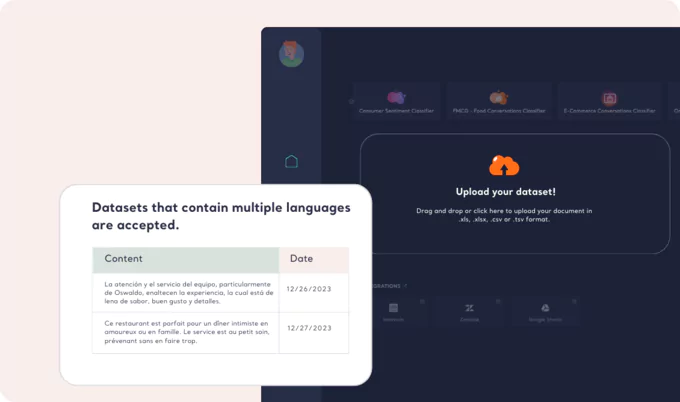
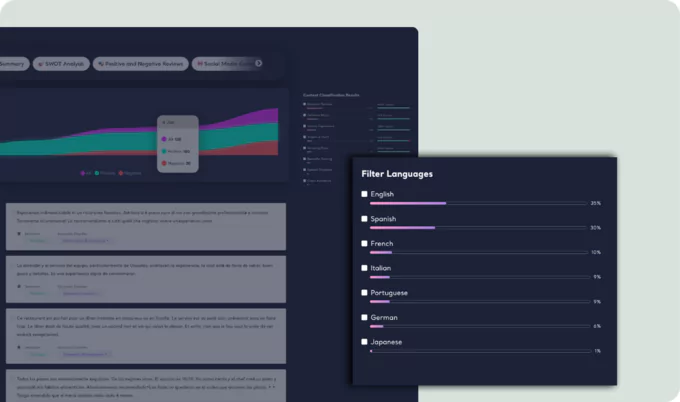
Importing Data from Google Sheets
Getting started is easy. Find the Google Sheets logo on Kimola Cognitive's home page and click on it. Log in to your Google account, grant the necessary permissions, and select the spreadsheet you'd like to analyze. In just a few clicks, your data is ready for insights.
Permissions that Kimola Requires
Kimola only needs "read-only" access to your Google Sheets—nothing more. Your personal information remains secure, and Kimola does not access any other Google services or sensitive data. Learn more about Google Drive API Scopes if you need any technical information.
Read our Privacy Policy, Terms of Service or use Contact Form if you have any questions.
Supported Data Types to Import
Kimola is built for text analysis. Import spreadsheets containing customer feedback like e-commerce reviews, social media mentions, survey responses, or customer service interactions. The platform processes and categorizes text data, delivering actionable insights to help you understand customer sentiment and trends.
-
Track & Analyze
Customer Feedback -
TRACK
Collect and centralize feedback.
ANALYZEMake sense of large-scale feedback.
INSIGHTSTurn data into meaningful insights.
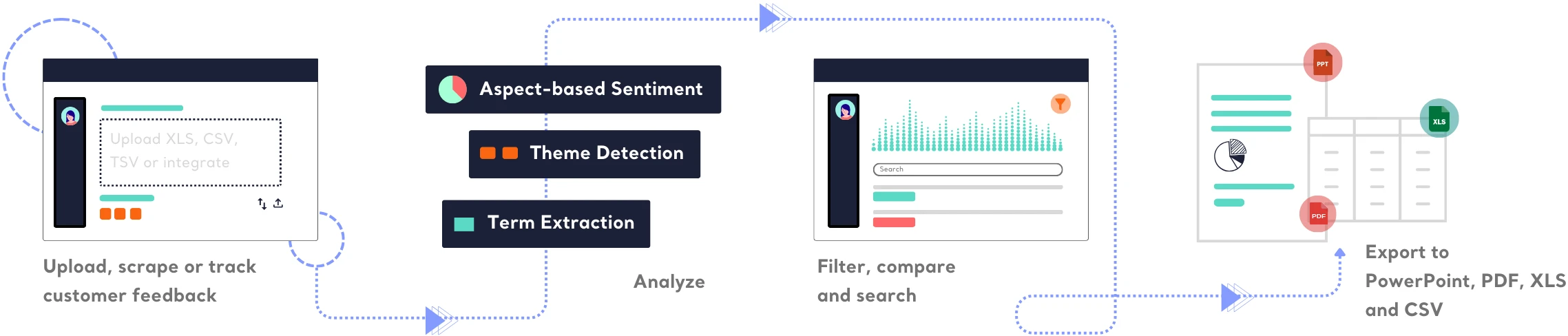
Find out how Kimola can improve your feedback analysis process.
-
![Kimola for Product Feedback Analysis]() Product Feedback Analysis
Product Feedback Analysis
Uncover customer needs, likes, and dislikes from product reviews and feedback.
-
![Kimola for E-commerce Feedback Analysis]() E-commerce Feedback Analysis
E-commerce Feedback Analysis
Analyze customer reviews and ratings to optimize online shopping experiences.
-
![Kimola for Social Feedback Analysis]() Social Feedback Analysis
Social Feedback Analysis
Extract insights from social media conversations and online discussions.



-
![Kimola for Open-ended Survey Analysis]() Open-ended Survey Analysis
Open-ended Survey Analysis
Make sense of free-text survey responses with AI-powered analysis.
-
![Kimola for Conversational Analysis]() Chatbot and Call Center Conversational Analysis
Chatbot and Call Center Conversational Analysis
Understand customer sentiment and concerns from chat and call transcripts.
-
![Kimola for Employee Feedback Analysis]() Employee Feedback Analysis
Employee Feedback Analysis
Identify workplace trends and employee sentiment from internal feedback and reviews.



Frequently Asked Questions
About Google Sheets Integration
-
What is Google Sheets?
Google Sheets is a cloud-based spreadsheet tool that allows users to create, edit, and collaborate on data in real-time. It is widely used for organizing, managing, and analyzing data without the need for desktop software.
-
Is Google Sheets integration available on the free plan?
No, Google Sheets integration is not available on the free plan. To access this feature, check our pricing page for package details and upgrade options.
-
Can my team access the Google Sheets integration?
Yes! Integrations on Kimola are company-wide. Once anyone from your team connects Google Sheets, all team members can access and use the integration.
-
Can I disconnect Google Sheets after integrating?
Yes, you can revoke access at any time from your Google account settings. Disconnecting will prevent Kimola from accessing your spreadsheets, but previously imported data will remain in your workspace.
-
Is my data secure when using Google Sheets integration?
Absolutely. We only pull data from your selected spreadsheet with read-only access. Your personal data and other files remain completely private and are not stored beyond what's necessary for analysis.
Turn customer feedback into structured market research in 30+ languages—no AI training needed.
Create a Free Account No credit card · No commitment